CM-Cabinets Library User Guide
The Construction Robes category of the Catalog/Drawing Properties allows you to set the default configurations for Robe Doors.
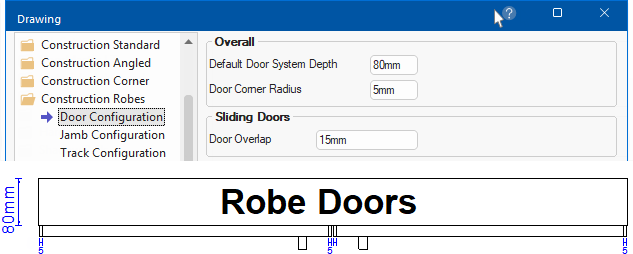
The Default Door System Depth is the width of the frame. The Door Corner Radius is as shown below (e.g. 5mm).
Sliding doors have one or more door panels that open by gliding on a track.
A Door Overlap on a sliding door refers to the distance by which two sliding door panels cover each other when in the closed position. Instead of meeting flush, the panels slide past one another to create an "overlap" area, which prevents gaps that would otherwise allow you to see through the doors or let dust and debris enter.
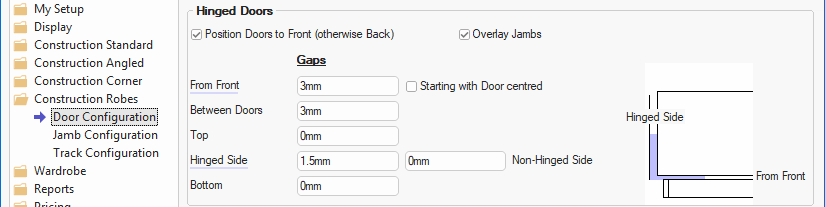
The Door Configuration page of the Drawing Properties allows you to set the defaults for the position and gaps for hinged door.
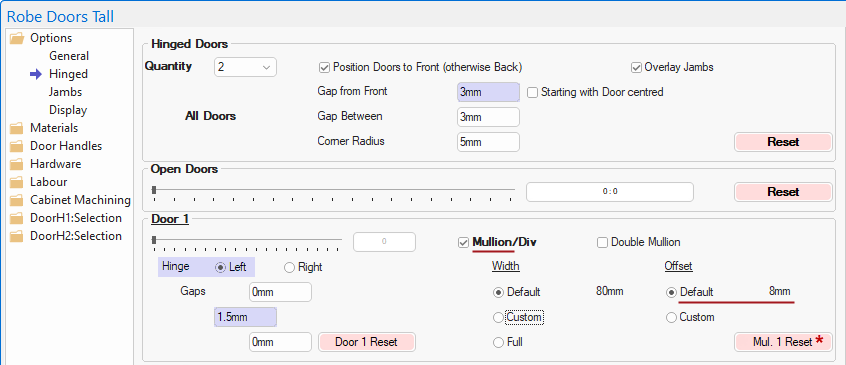
Compare with settings at Cabinet Level
The Options > Hinged page of the cabinet allows you to override the defaults set on the Door Configuration page, shown above.
The Mullion Reset * buttons reapplies the Offset settings of the Mach.Shelf/Mullion > Mullions page of the Drawing Properties.
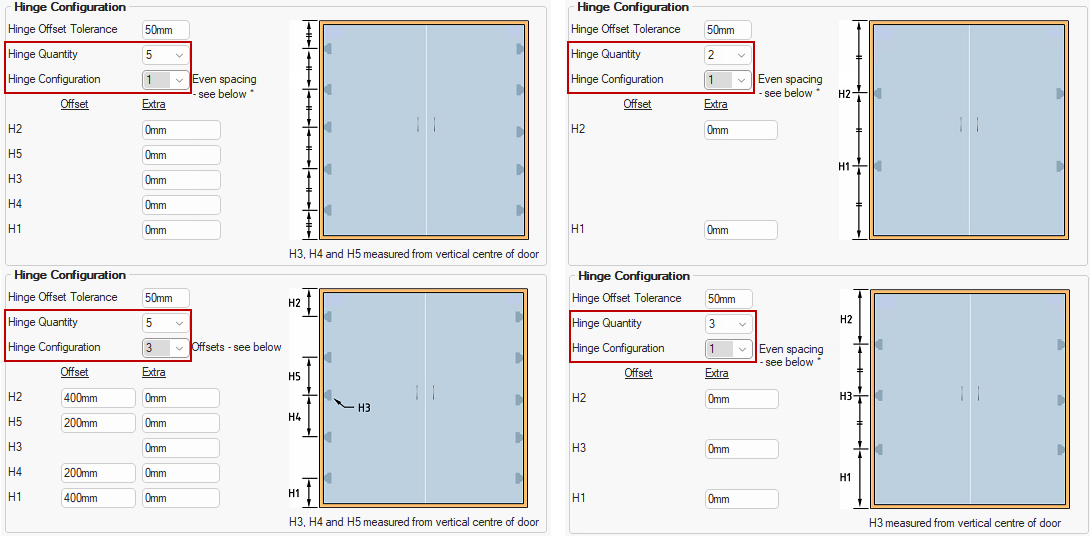
These settings provides the ability of setting the default number of hinges. Two, three, four or five hinges can be placed on each door, dependent on the height of the door. The heights are all based on the position on the door and are to the centre of the hinge cup hole.
The distance of the upper (e.g. H2) and lower hinges (e.g. H1) are from the top and bottom of the door.
The centre hinge (H3) option provides the ability to offset the position of the central hinge of a 3 or 5 hinge door up or down. A positive (+ve) value moves the hinge up and a negative (–ve) moves it down.
The hinging image and the applicable Offset/Extra edit boxes will automatically adjust to reflect Quantity and Configuration.
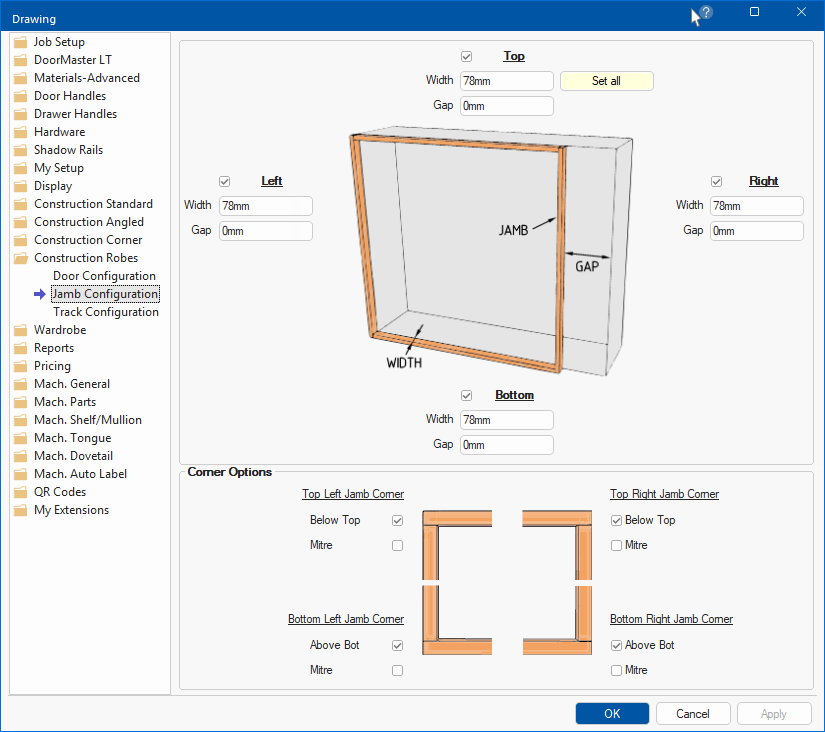
A door jamb is a part of the frame that surrounds the door slab if, at cabinet level the door is hinged.
The options on the Jamb Configuration page allows you to set the defaults of the jambs overall. Explanatory images are provided as an aid.
Individual sliding robe doors can be opened or closed using the track sliders on the Options > Sliding page at cabinet level.
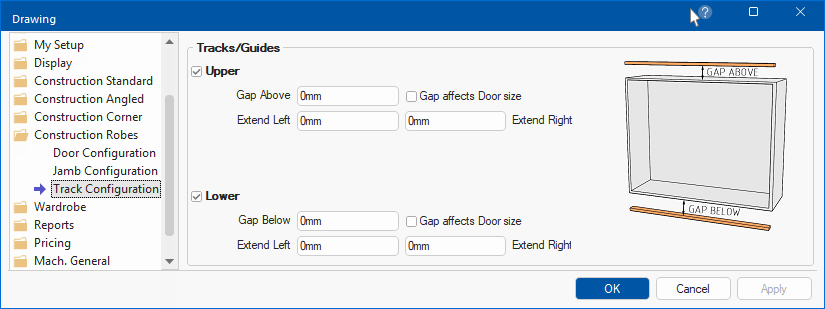
Gaps for tracks and guides can be used for clearances for sliding mechanisms (like doors or windows), or gaps created for maintenance.
 Watch the video which takes a quick look at the Closet/Robe Door options.