CM-Cabinets Library User Guide
Doors can be added to your drawing, which will cutout the wall.
In 3D view, it will display a transparent opening in the wall, as shown.
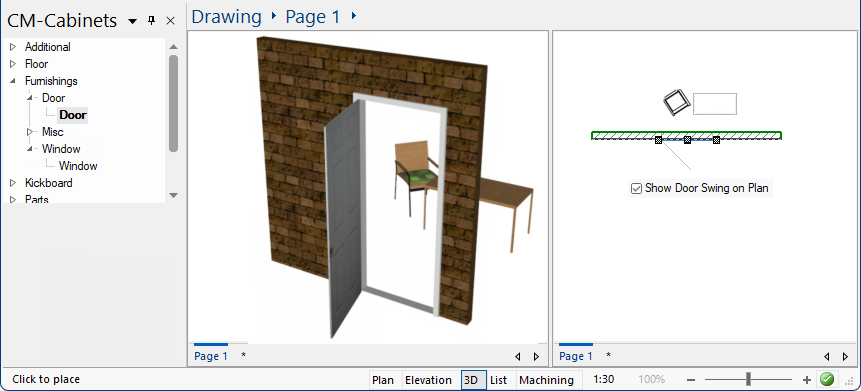
On the Accessory Details > Display page, you can change the Door Swing on Plan setting. The door swing, as shown above right, is displayed on the Plan.
If the Reset Door Swing button is used the setting on the Display > Options page of the Drawing Properties will be reapplied - click on image.
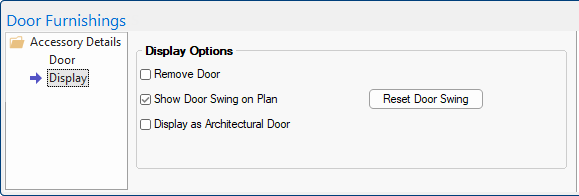
Click to view the Display > Options page of the Drawing Property default
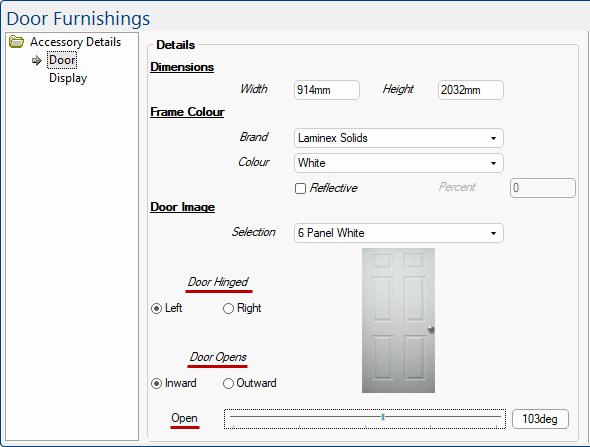
On the Accessory Details > Door page, you can specify...