CM-Cabinets Library User Guide
Issue: My customer has changed their mind on colours and I need to change Floor/Wall/Tall cabinets quickly and easily!
Solution
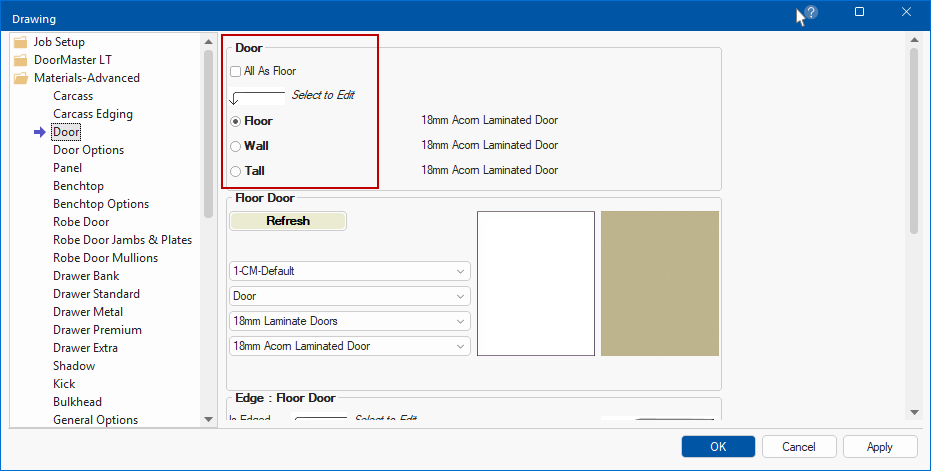
Doors : Uncheck All as Floor option in the Drawing Properties and adjust colors for all your doors.
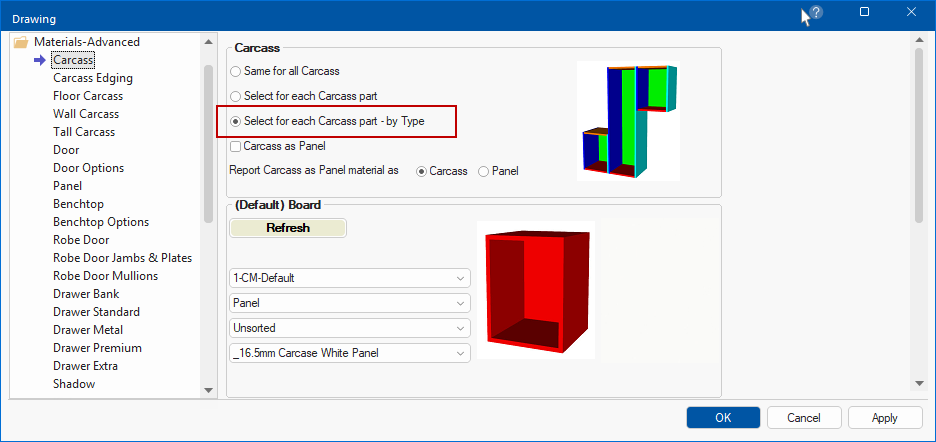
Carcass : Change the Carcass option to Select for each Carcass part - by Type in the Drawing Properties and adjust colour.
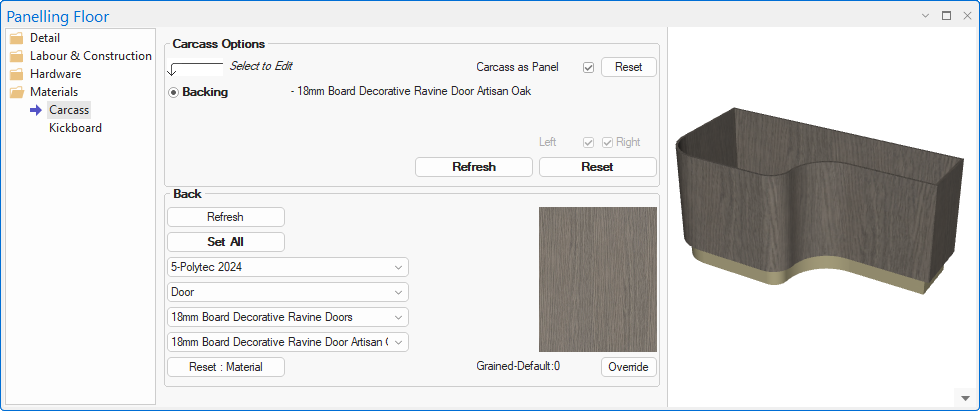
Issue: I need grain to display on the face when laying out curves. Horizontal Panels doesn't have this facility, as it only works with solid colours.
Solution: Use Panelling Floor from the CM-Cabinets library as it works in a very similar way to PolyShape and you can use Grain Material.
Using the Details > Points page, you can design any custom shape - see Topic on Timber Panelling which includes a tutorial video [1:18 mins]
See also: Poly Shape & Timber Panelling
Issue: I have deleted a cabinet from my catalog entirely or there seems to be missing cabinets.
Solution: See topic on Adding Missing Cabinets to Catalog (using Insert Unused Based Ons)